Best PS5 Storage Upgrades in 2026: Top M.2 SSDs for GTA 6 and Beyond
Updated November 19, 2026 — GTA 6 needs up to 212 GB. Here’s the best way to expand your PS5 storage right now.
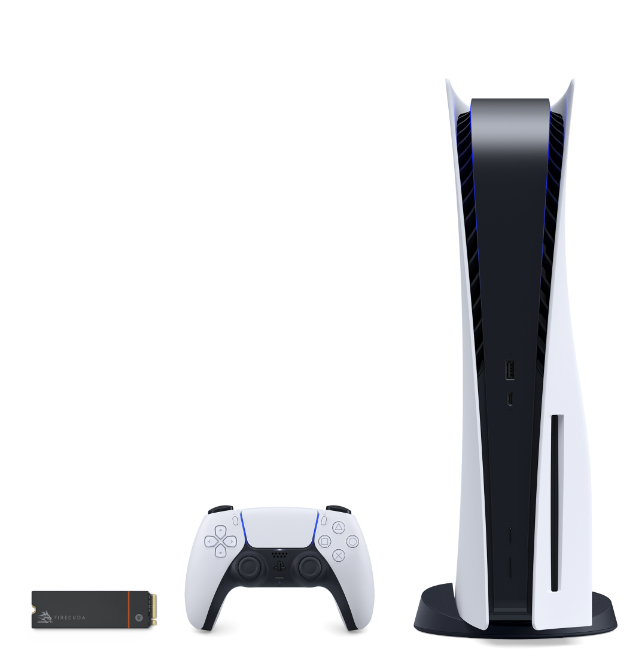
Grand Theft Auto VI is a 212 GB monster. If your PS5 or PS5 Slim is already full, the cleanest long-term solution is adding a compatible M.2 SSD. In 2026 the market is mature: you can buy excellent PCIe Gen4 drives with heatsinks that meet Sony’s exact requirements and give you plenty of room for GTA 6 plus future big releases.
Official PS5 M.2 Requirements (2026)
Sony still requires:
- PCIe Gen4 x4 NVMe (Key M)
- Sequential read speed of 5,500 MB/s or faster (recommended)
- Capacity between 250 GB and 8 TB
- Form factor 2230 / 2242 / 2260 / 2280 / 22110
- Total thickness including heatsink: maximum 11.25 mm
Gen5 drives work but run at Gen4 speeds on PS5, so they offer no real advantage.

Best M.2 SSDs for PS5 in 2026
1. Best Overall – Samsung 990 PRO with Heatsink (2 TB / 4 TB)
Still the premium choice. Excellent sustained speeds, reliable heatsink, and proven PS5 compatibility. Ideal if you want maximum performance and peace of mind.
2. Best Value – Crucial T500 with Heatsink (2 TB)
Strong real-world performance, factory heatsink, and usually the best price-to-performance ratio in 2026.
3. Best Budget High-Capacity – Lexar NM790 with Heatsink (2 TB / 4 TB)
Very good sequential speeds, included heatsink, and competitive pricing. Excellent option if you want 4 TB without spending Samsung money.

How Much Capacity Should You Buy?
- 2 TB — Perfect for most players. Enough for GTA 6 + a large library.
- 4 TB — Future-proof if you keep many big games installed.
- 1 TB — Only if budget is very tight.
Remember: GTA 6 alone takes ~212 GB. Plan for day-one patches and future titles.
Installation Tips
- Update your PS5 system software first.
- Power off completely and unplug the console.
- Use a #1 Phillips screwdriver.
- Make sure the heatsink is already attached before installing.
- Follow the on-screen formatting guide after powering on.
Official step-by-step instructions are available on the PlayStation Support site.
Official Resources
- Official PlayStation Support – How to install an M.2 SSD
- Grand Theft Auto VI official site – Rockstar Games
Adding a good M.2 SSD is the single best upgrade most PS5 owners can make in 2026. Do it once and you won’t have to delete games every time a new 100+ GB title arrives.